
Human agents
Predictive dialer, inbound queues and a live wallboard. Your team works the way it always has, with the cost and the recording of every call in view.


PulseDial is the software where your AI agent and your human team work the same campaign: outbound dialing, intelligence on every conversation and the cost of every call in view.
You connect your AI voice agent, your CRM and the carriers you already use.
It isn't a dialer with a bot bolted on the side. It's telephony and dialing where the AI agent and the person are the same kind of agent.
Predictive dialer, inbound queues and a live wallboard. Your team works the way it always has, with the cost and the recording of every call in view.

You connect your Retell, Vapi, ElevenLabs or 008 Agent account and the agent dials, answers and takes queue calls like any other. Around the clock, without taking up a seat.

The bot opens the call and hands it to the person with the context already on screen. The customer repeats nothing and the agent comes in knowing what happened.
This is not a dialer with channels bolted on. Channels, AI agents and SIP trunks come and go without rebuilding the operation.

Voice is one channel among others, not the only one. Phone, WhatsApp, SMS and Telegram over the same contact and the same record, and every channel takes an AI agent or a person.

Plug in your LLM or your agent and run the contact center by talking. Not just status: pause an agent, create a campaign or move a queue from wherever you already work.
/status campaign
/pause agent 204
/new campaign

Bring your own SIP trunks and your own AI agents (Retell, Vapi, ElevenLabs, 008) and the platform uses them. No exclusivity, no captive minutes, no mandatory voice engine.
Numbers wear out, voicemail eats the attempts and nobody knows which of the contact's eight phones to call.
The carrier invoice arrives once the campaign is over, and by then the margin was either there or it wasn't.
When the request or the audit arrives, reconstructing how someone was spoken to takes days of manual work.





You operate for several clients with different SLAs and you need each campaign's margin without waiting for the carrier invoice.

Preview, progressive and predictive. You change the pacing preset or the pre-dialing while it runs and the dialer readjusts on its own.

Each contact holds up to eight phones, each with its own quality. On every attempt the dialer picks the best one still alive and drops the dead ones.

Your voice agent dials and answers like any other agent. Separately, conversation intelligence transcribes, summarizes and suggests a disposition, and an automatic judge scores quality.

Per-prefix rates with a connection fee, per-minute rate and billing mode. Every call stores the cost, the zone and the group it was rated with.

Real-time wallboard of agents and queues, with wall mode and an audible alarm. You listen, whisper or barge in on any call without cutting it.

Suppression lists checked before every call, lawful basis per contact and a consent history that only appends entries and never edits them.
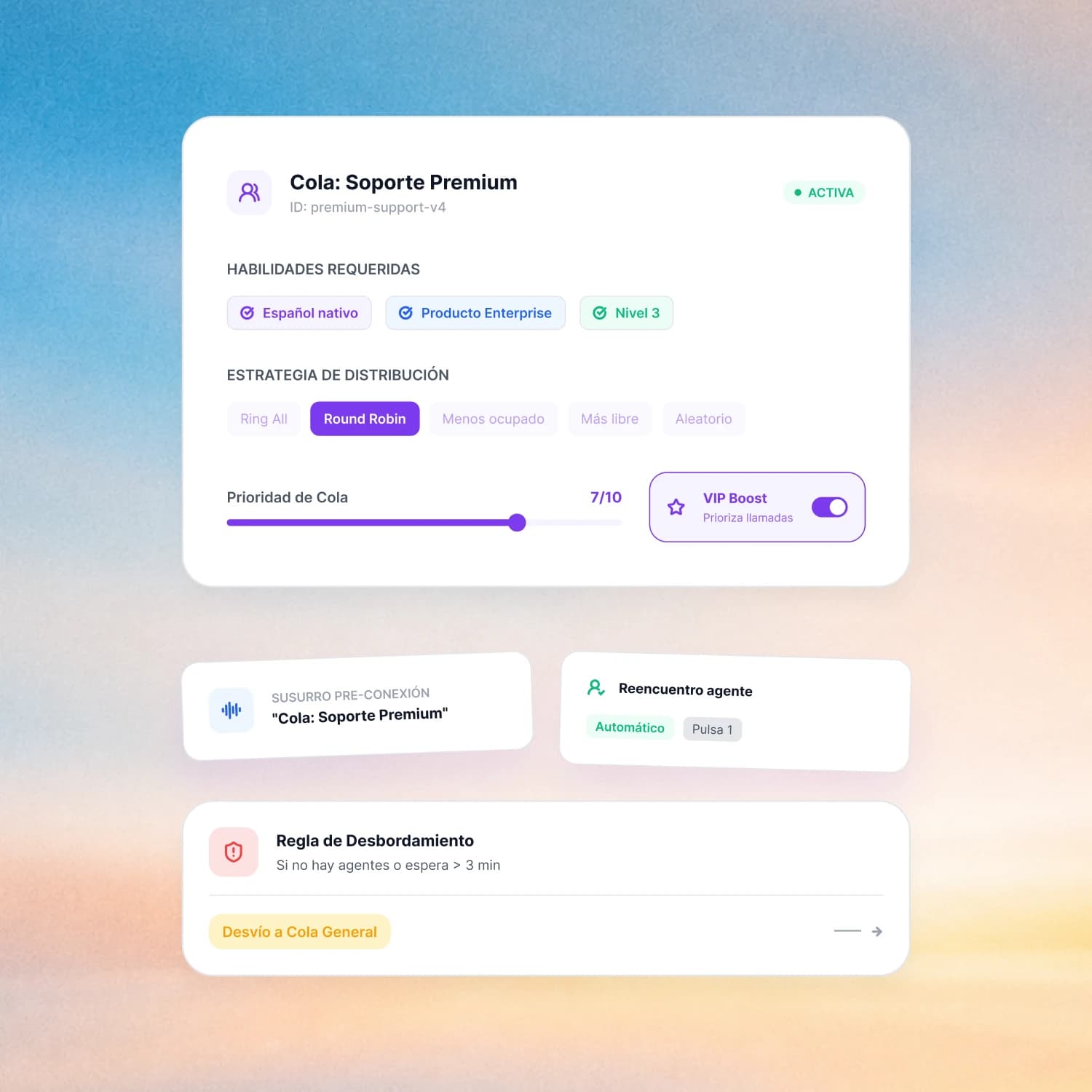
An agent needs every skill you mark to take the call. Five routing strategies, priority from one to ten and a boost for VIP customers.
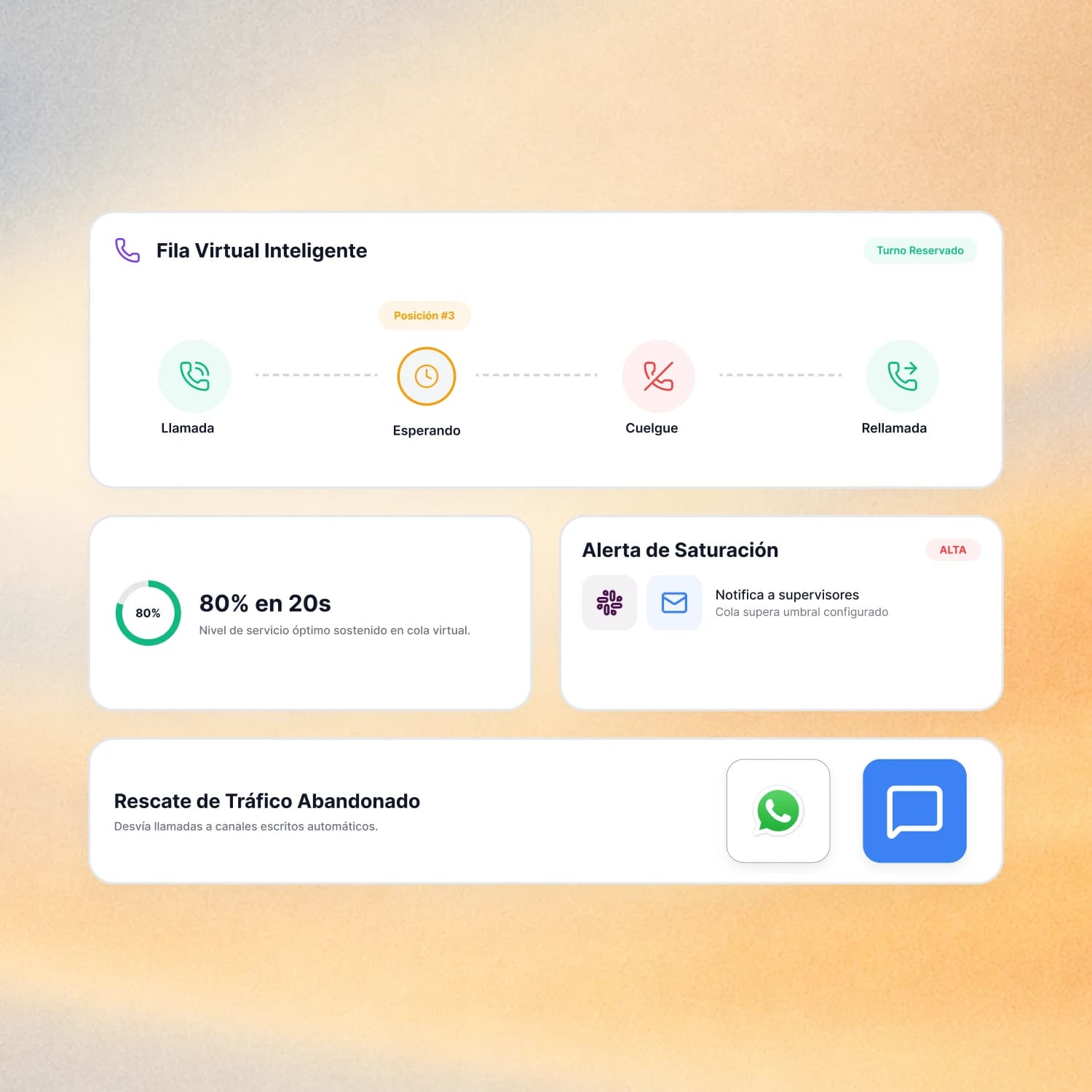
The caller hangs up keeping their place and the platform calls back when their turn comes.
This is the console with the operation running. Pick a capability and it opens just as your supervisors use it.
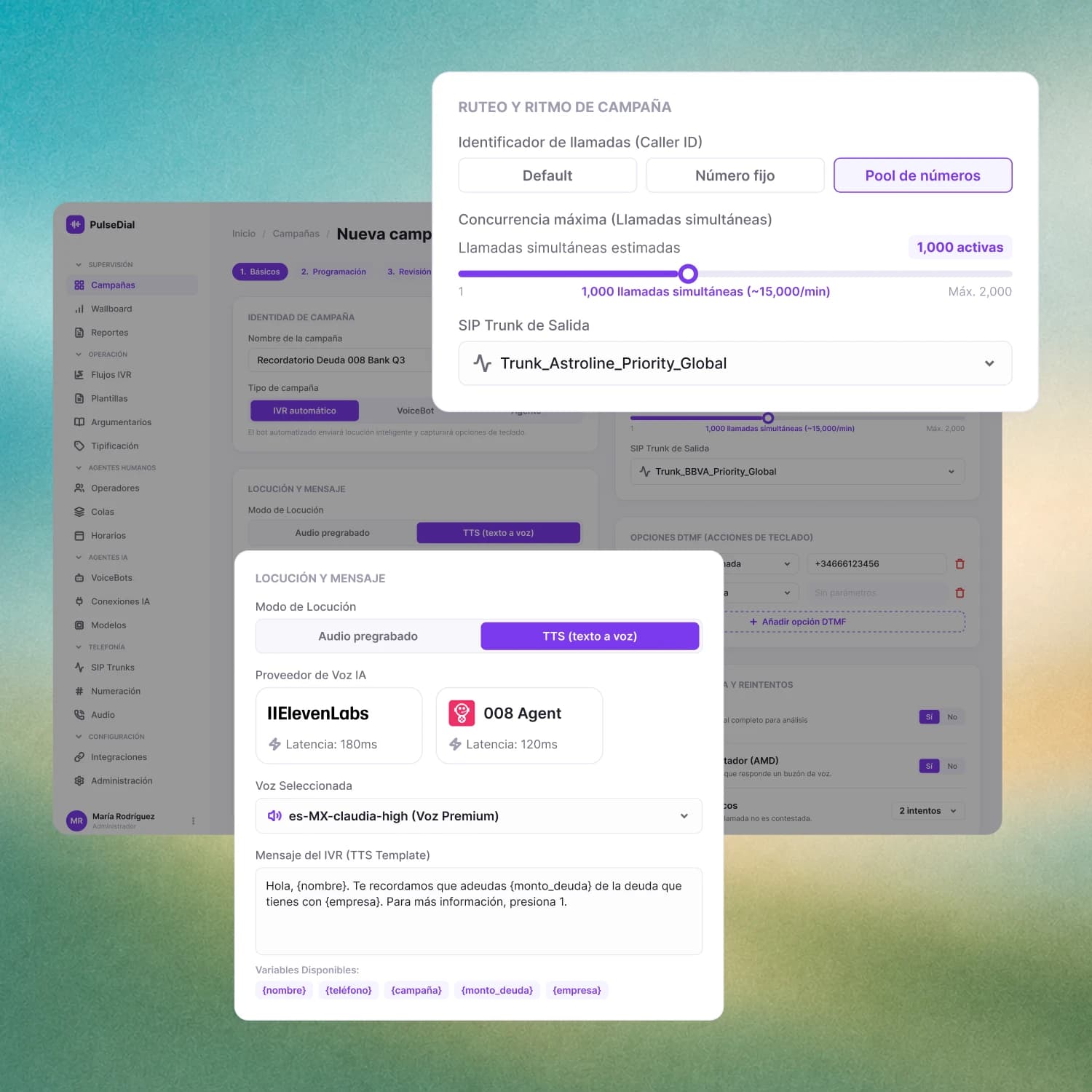
You pick the dialing mode, the number pool, concurrency and the outbound trunk. The prompt comes from pre-recorded audio or text to speech, with each contact's variables.
Six steps, in this order. Each one leaves something working before you move to the next.
You register the trunk and test it for real, with inbound and outbound rates assigned.
Users, skills and profiles. Second factor stays mandatory on the sensitive profiles.
Up to eight phones per person, with their lawful basis and their suppression lists loaded.
Pre-recorded prompts, text to speech or your AI voice agent connected, and the call script the person sees on screen.
You pick the dialing mode, the pacing strategy and the caller ID pool, and start.
CRM in both directions, signed webhooks and your own storage for recordings.
Yes. You register your own SIP trunks, test them before using them and assign inbound and outbound rates to each one separately.
Yes. Automatic daily archiving to Amazon S3, Wasabi, Azure Blob or your FTP or SFTP, in copy or move mode. Credentials stay encrypted at rest.
From a single screen, searching by any of the person's phones. You generate the data package or run the deletion, and the operation is audited with a hash of the number, not the number.
Yes. You connect your Retell, Vapi, ElevenLabs or 008 Agent account and the agent joins the campaign or the queue like any other agent, with its recording and its cost per call.
Conversation intelligence comes turned off and turns on feature by feature, with a daily spend cap. The voice agent is separate: you connect it if you want, and if not, your team runs with people only.
With pacing presets and four parameters you adjust live, plus a panel that shows abandonment today, abandonment over the last five minutes and why the last automatic adjustment happened.
Salesforce, HubSpot, Zoho and Zendesk in both directions, each one switchable on its own. For everything else, a generic signed webhook and an API with permissions per resource.
When the attempts run out you can enroll them automatically in a WhatsApp sequence or send them an SMS, always to the best usable phone they have left.
Yes, call by call, with the zone and the billing group it was rated with. And if prices change later, you apply a retroactive re-rating over the full date range.
Thirty minutes, no generic deck. Bring a real campaign and we set it up in the demo.